Precise where it matters.
Dimensions, constraints and expressions give your design a structure you can adjust.
 MacadamAlpha
Free during alpha · In your browser
From the first sketch to the final cut. Parametric CAD and CAM for people who make things.
Native macOS, Windows and Linux versions coming soon! iPad and iPhone Duo apps are on the way too.
Full features during alpha. Start designing now; log in when you’re ready to save.
Loading the model…
The interactive model could not load.
Open the viewer directly ↗One place. Every step.
Shape it, refine it, and make it real—without starting over at every step.
Work with constrained 2D sketches, spatial curves, solids and surfaces. Build a model you can come back to and change.
Explore the tools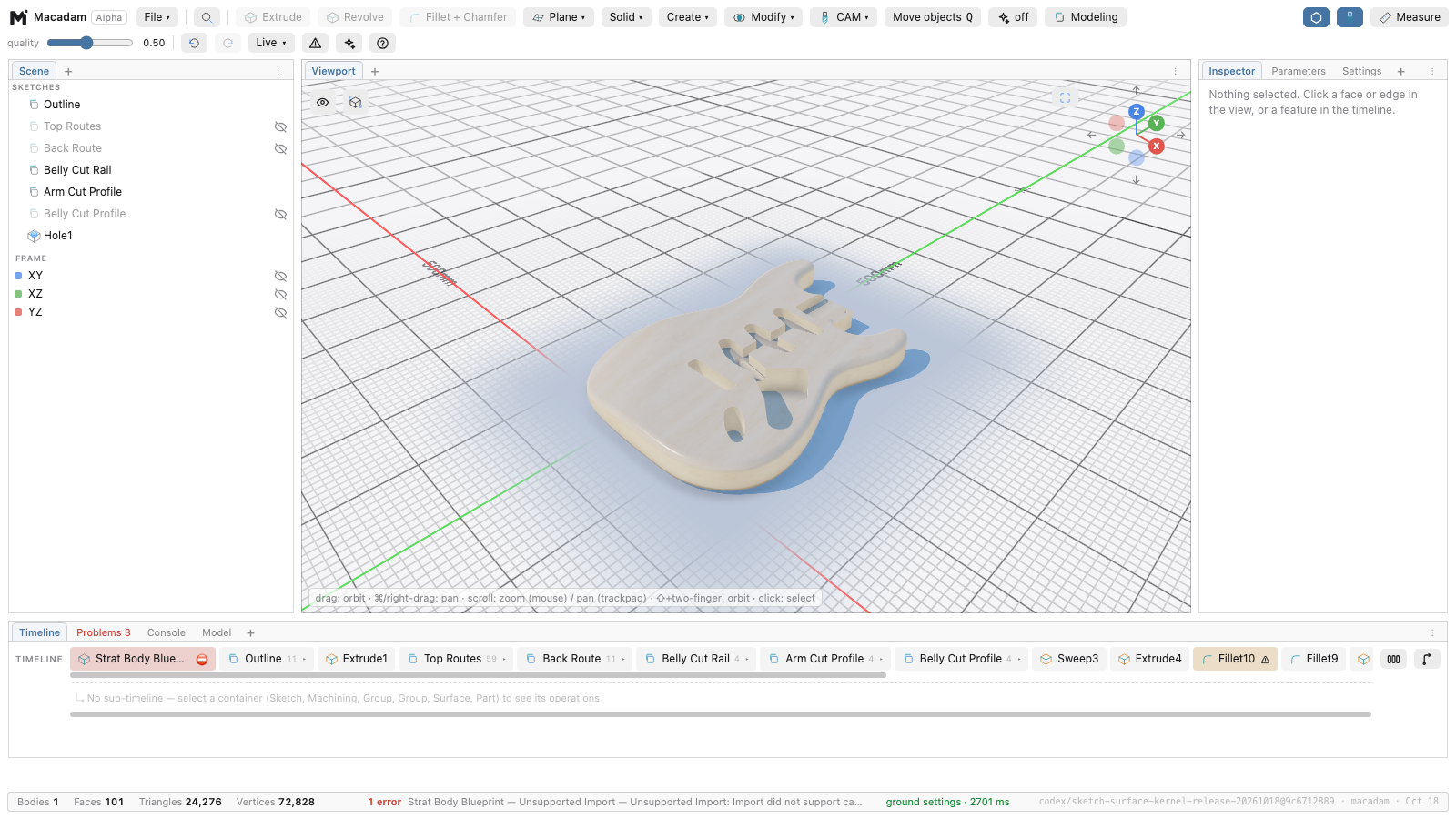
Drive dimensions with parameters and expressions. Revisit features in the timeline, inspect their references, and undo an experiment.
See the feature catalogue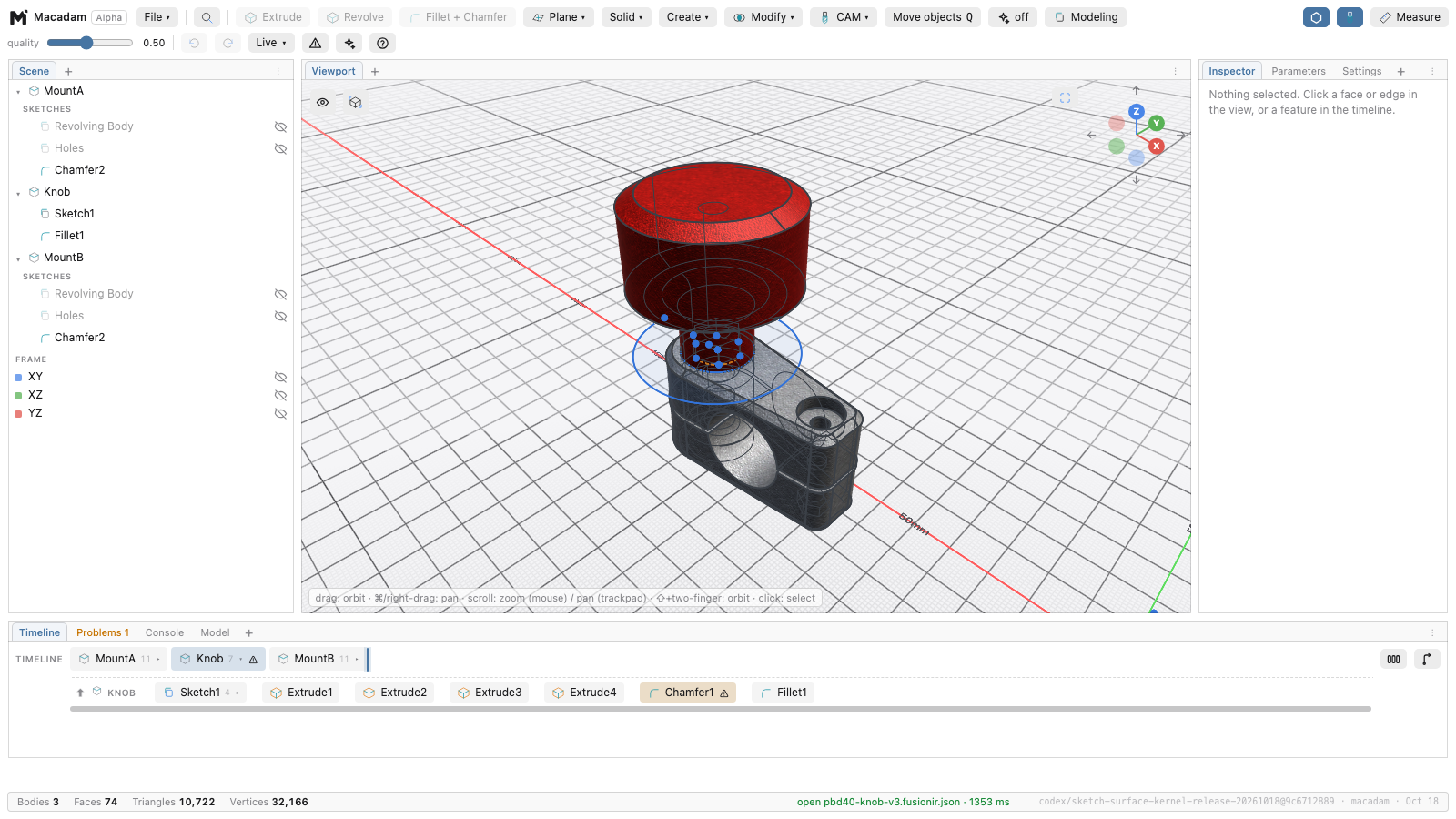
Set the look in Macadam, then export an interactive viewer for your website. Let people explore the model without a Macadam account.
Open this model’s viewer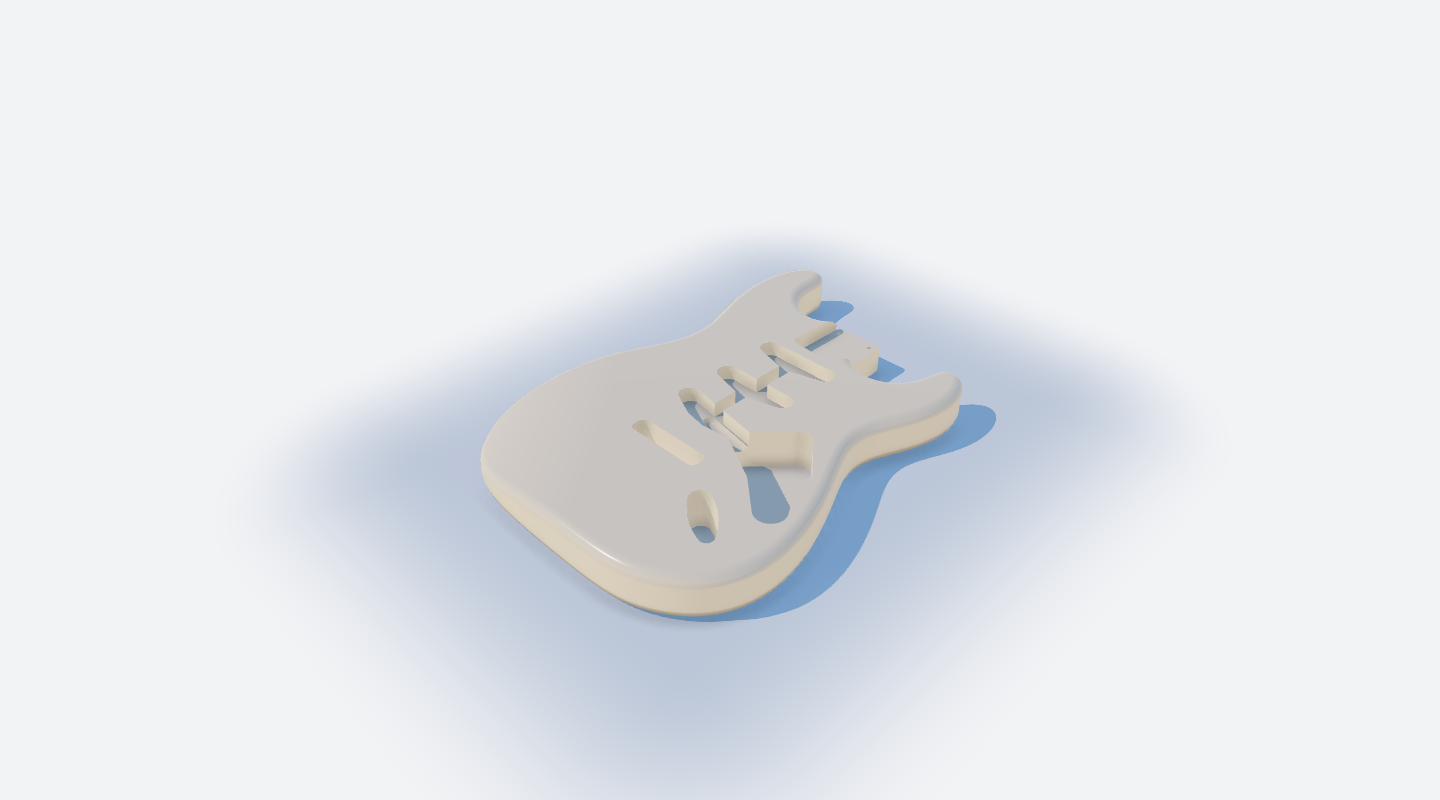
GraphHopper · Alpha preview
Connect parameters and modelling operations in a visual graph. Turn a repeated detail into a system you can change, using the same CAD features as the rest of your design.
Shown here: a curved surface with a parametric rib pattern, built in Macadam’s GraphHopper editor.
Explore the free alpha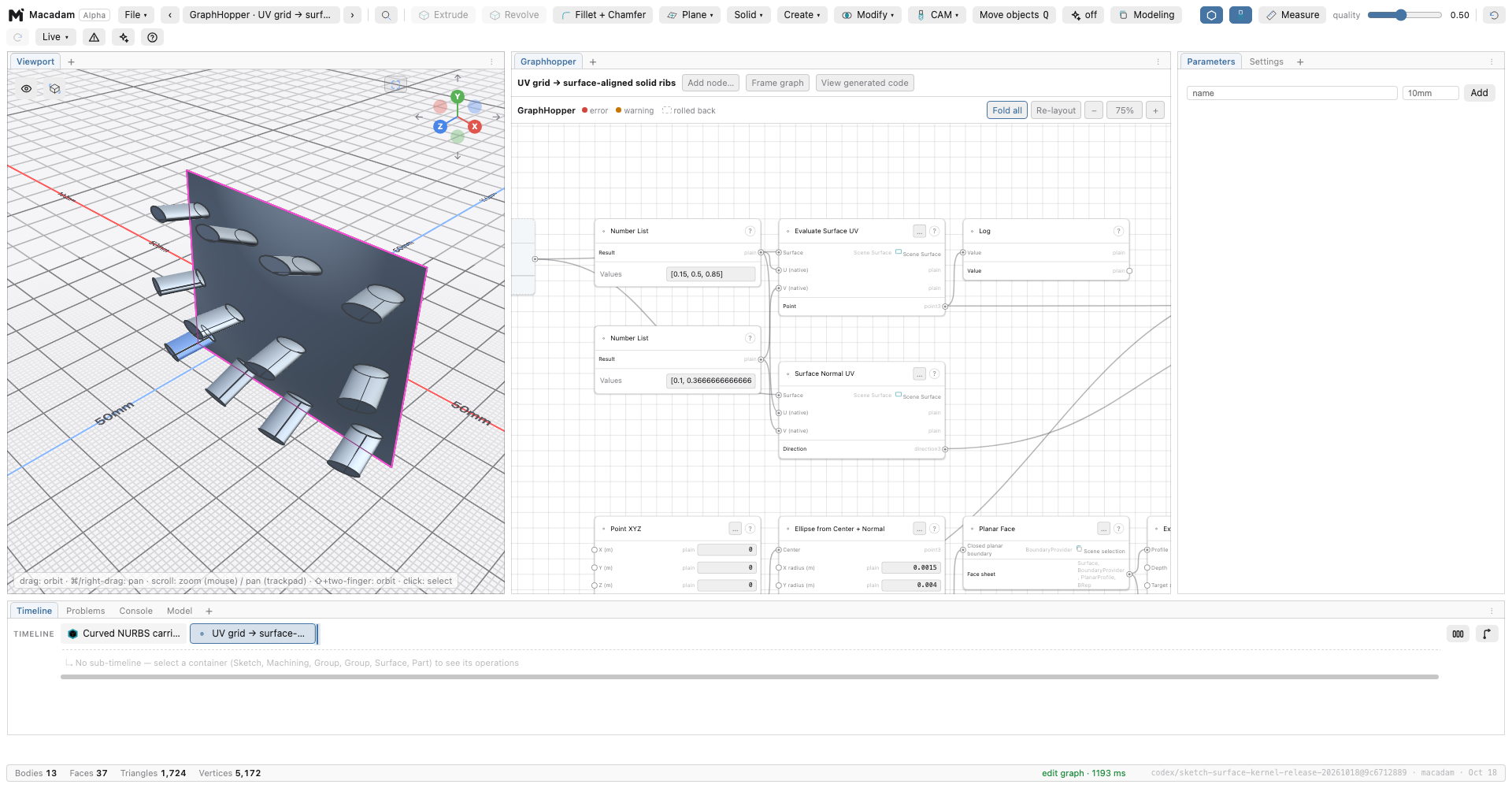
The workshop is the point.
Design for the thing you want to hold in your hands.
Explore CAMDimensions, constraints and expressions give your design a structure you can adjust.
Set up machining operations, inspect toolpaths and simulate material removal with integrated CAM.
Import STEP and mesh files, or use the Macadam Fusion exporter to bring supported Fusion designs into the workflow.
Find your fit.
Choose tools for the work you do. See where Macadam fits alongside established CAD applications.
CAD & CAM, compared
Compare available modelling, manufacturing and sharing tools. Paid editions where relevant; extensions and plug-ins are labelled. Macadam is in alpha.
✓ Included — Not documented as included Other labels describe the available workflow
| Feature | MacadamAlpha | Fusion | Shapr3D | SolidCraft | Rhino3D | Plasticity | Onshape |
|---|---|---|---|---|---|---|---|
| Price USD · before tax | Free during alphaFull features · future pricing to be announced | US$680 / yearCommercial · annual billing | US$299 / yearPro · annual billing | FreeOpen-source application | US$995 onceRhino 8 commercial · perpetual licence | US$175 / US$299 onceIndie / Studio · perpetual · 12 months of updates | US$1,500 / US$2,500 per yearStandard / Professional · per user |
| macOS desktop app | ✓ | ✓ | ✓ | ✓ | ✓ | ✓ | Browser |
| Windows desktop app | Coming soon | ✓ | ✓ | ✓ | ✓ | ✓ | Browser |
| Linux desktop app | Coming soon | — | — | ✓ | — | ✓ | Browser |
| iPad app | Coming soon | Mobile viewer | ✓ | — | iRhino viewer | — | ✓ |
| iPhone app | iPhone Duo · Coming soon | Mobile viewer | — | — | iRhino viewer | — | ✓ |
| 3D modelling in a browser | ✓ | Streamed¹ | — | ✓ | — | — | ✓ |
| Offline desktop modelling | ✓ | Cached designs | ✓ | ✓ | ✓ | ✓ | — |
| Constrained 2D sketches | ✓ | ✓ | ✓ | ✓ | — | — | ✓ |
| Free-space 3D curve drawing | ✓ | ✓ | — | ✓ | ✓ | ✓ | 3D curve features |
| Editable feature timeline | ✓ | ✓ | ✓ | ✓ | History links | — | ✓ |
| Named parameters and expressions | ✓ | ✓ | ✓ | ✓ | Grasshopper | Live dimensions | ✓ |
| Solid modelling | ✓ | ✓ | ✓ | ✓ | ✓ | ✓ | ✓ |
| Direct face editing | ✓ | ✓ | ✓ | ✓ | ✓ | ✓ | ✓ |
| Open-surface modelling | ✓ | ✓ | — | ✓ | ✓ | ✓ | ✓ |
| Subdivision / T-spline modelling | — | ✓ | — | — | ✓ | — | — |
| Assembly joints | ✓ | ✓ | — | ✓ | Plug-in | — | ✓ |
| Sheet metal and flat patterns | ✓ | ✓ | — | ✓ | Unroll tools² | — | ✓ |
| Dimensioned 2D drawing sheets | — | ✓ | ✓ | View DXF only | ✓ | SVG views only | ✓ |
| 2.5-axis CNC toolpaths | ✓ | ✓ | — | — | CAM plug-in | — | Professional |
| 3-axis CNC roughing and finishing | ✓ | ✓ | — | — | CAM plug-in | — | Professional |
| Simultaneous 5-axis machining | — | Extension | — | — | CAM plug-in | — | CAM Studio Advanced |
| Machining stock-removal simulation | ✓ | ✓ | — | — | CAM plug-in | — | Professional |
| STEP import and export | ✓ | ✓ | ✓ | ✓ | ✓ | ✓ | ✓ |
| STL export for 3D printing | ✓ | ✓ | ✓ | ✓ | ✓ | ✓ | ✓ |
| Editable Fusion history migration | Export bundle³ | Native | — | — | — | — | — |
| PBR material preview | ✓ | ✓ | ✓ | Basic | ✓ | ✓ | Render Studio · Pro |
| Built-in ray-traced rendering | — | ✓ | — | — | ✓ | — | Render Studio · Pro |
| Web-based model sharing | Self-hosted package | Hosted embed⁴ | Hosted viewer⁴ | — | SDK / services | Hosted viewer⁴ | Hosted viewer⁴ |
| Standalone web-viewer package export | ✓ | — | — | — | — | — | — |
| AI modelling through MCP | ✓ | ✓ | — | ✓ | Official plug-in | — | FeatureScript MCP |
| Visual node-based parametric editor | GraphHopper preview | — | — | — | Grasshopper | — | — |
| Open-source application | — | — | — | ✓ | — | — | — |
Prices are US list prices checked 18 October 2026, before tax; regional prices can differ. Annual subscriptions are billed yearly. Add-ons and future upgrades can cost extra. Macadam is free during alpha; later pricing is not set.
Free options: Fusion Personal is restricted to qualifying non-commercial use; Shapr3D Basic allows two projects and limited exports; Onshape Free requires public, non-commercial documents. Plasticity offers a 30-day trial. Onshape CAM and Render Studio need Professional or above; CAM Studio Advanced is a separate offering.
Macadam native Windows, Linux and iPad apps, plus support for iPhone Duo, are coming soon. The web version already runs on iPhone; its touch workflow is still being improved. Mobile viewers are labelled separately from modelling apps. Onshape desktop access is through a browser; its mobile apps are native. Onshape provides 3D curve features rather than a general free-space 3D sketch editor; FeatureScript is code-based.
¹ Fusion browser access is streamed and requires a commercial or verified education entitlement; it is distinct from its browser-based file viewer.
² Rhino's developable-surface unrolling is useful for fabrication, but is distinct from a dedicated sheet-metal bend/flat-pattern workflow.
³ Macadam migration uses its Fusion export bundle and supported feature types; imported STEP files do not preserve a modelling timeline.
⁴ Hosted viewing is supported, but is not a downloadable self-contained viewer package. Macadam's package is read-only.
Macadam is alpha software. Availability does not imply the same geometry coverage, maturity or reliability across products. Macadam's GraphHopper editor remains a preview.
Paid plans may be needed. Extensions and plug-ins can add cost and may be platform-specific. A dash means not documented as an included capability. Last checked 18 October 2026.
Fusion commercial, current Shapr3D, SolidCraft v0.15.0, Rhino 8, Plasticity Indie / Studio, Onshape Standard / Professional (Advanced where labelled), and available Macadam alpha capabilities. This compares availability, not precision, reliability or completeness. Extra-cost products and platform restrictions may apply.
Macadam is in alpha. Feature availability and limitations matter; source links and qualification notes are included above.
Built with makers.
Try the alpha. Show us what you’re making. Tell us what works—and what gets in your way.
Join the waitlist for release news and what we’re building next.
Macadam is free with full features during alpha. Future free and paid plans are still being defined; pricing and availability may change after alpha.
Try the web version now, on desktop or iPhone. The mobile web experience is still being improved. Native macOS, Windows and Linux versions are coming soon, along with apps for iPad and iPhone Duo. The Mac app is currently available in alpha.
Yes. The Macadam Fusion exporter creates a package Macadam can import. Supported features and known limitations are documented in the feature catalogue. The Stratocaster at the top of this page is imported with its Fusion feature history, then rendered and exported with Macadam.
It is active software in development, with known limitations and bugs. Keep backups of important work and check geometry and machining output before using it.